7 Signs Your Website is Costing You Customers (And How to Fix Them)

Is your website driving customers away? Discover the seven critical issues that cost businesses thousands in lost revenue, and how to fix them before it's too late.

People walking away from a poor design website

7 Signs Your Website is Costing You Customers (And How to Fix Them)

Your website should be your best salesperson, working 24/7 to attract customers, build trust, and generate leads. But what if it's doing the opposite?

Most business owners don't realize their website is actively costing them customers until it's pointed out. Slow load times, confusing navigation, poor mobile experience, or outdated design, any of these issues sends potential customers straight to your competitors.

The harsh reality? Studies show that 53% of mobile users abandon sites that take longer than 3 seconds to load, and 88% of online consumers won't return to a site after a bad experience.

In this guide, we'll walk through the seven most common (and costly) website problems we see with Auckland businesses, and more importantly, how to fix them.

Sign #1: Your Website Loads Slowly (3+ Seconds)

Why This Costs You Customers

Page speed isn't just a technical metric, it's directly tied to customer behavior and your bottom line:

  • 53% of mobile visitors leave if a page takes longer than 3 seconds to load
  • A 1-second delay can reduce conversions by 7%
  • Google penalizes slow sites in search rankings (meaning fewer people find you)
  • Slow = unprofessional in customers' minds
The real cost: If your site takes 5 seconds to load and you get 1,000 visitors per month, you could be losing 500+ potential customers before they even see your content.

How to Check Your Site Speed

  1. Visit PageSpeed Insights
  2. Enter your website URL
  3. Check both Mobile and Desktop scores
  4. Look for your "Time to Interactive" score

Good score: 90+ (Green)
Needs work: 50-89 (Orange)
Critical: 0-49 (Red)

How to Fix It

Quick wins:

  • Compress images before uploading (use TinyPNG or similar)
  • Remove unused plugins (WordPress) or apps (Shopify)
  • Enable caching through your hosting provider
  • Use a CDN (Content Delivery Network)

Long-term solution:

  • Switch to faster hosting (quality matters)
  • Consider migrating to a faster platform (Webflow, for example, loads in under 2 seconds by default)
  • Hire a developer to optimize your site's code
Websonic solution: All our Webflow sites load in under 2 seconds without optimization work, it's built into the platform.

Sign #2: Your Website Doesn't Work Properly on Mobile

Why This Costs You Customers

In 2026, over 60% of website traffic comes from mobile devices. If your site doesn't work well on phones, you're literally turning away the majority of your potential customers.

Common mobile problems:

  • Text too small to read without zooming
  • Buttons too small to tap accurately
  • Horizontal scrolling required
  • Pop-ups that can't be closed on mobile
  • Forms that are frustrating to fill out
  • Images that don't resize properly

Google's stance: Since 2019, Google uses mobile-first indexing, meaning they rank your site based on the mobile version, not desktop. A poor mobile experience hurts your search rankings.

How to Check Your Mobile Experience

  1. Pull out your phone right now
  2. Visit your website
  3. Try to complete your main call-to-action (book a service, contact you, etc.)
  4. Be honest: is it easy? Or frustrating?

Better yet: Use Google's Mobile-Friendly Test

How to Fix It

Immediate fixes:

  • Increase font sizes (16px minimum for body text)
  • Make buttons larger (44x44 pixels minimum for tap targets)
  • Remove horizontal scrolling
  • Simplify navigation for mobile users
  • Test forms on actual phones

Professional solution:

Have your site rebuilt with responsive design from the ground up. This means the site automatically adapts to any screen size, desktop, tablet, or phone.

Websonic solution: Every site we build is mobile-first, meaning we design for phones first, then enhance for larger screens.

Sign #3: Visitors Can't Figure Out What You Do (Within 5 Seconds)

Why This Costs You Customers

You have approximately 5 seconds to communicate what you do before visitors leave. If your homepage is vague, confusing, or buried in jargon, potential customers won't wait around to figure it out.

Common clarity problems:

  • "Welcome to our website!" (tells them nothing)
  • Generic stock photos that don't show your work
  • Industry jargon customers don't understand
  • No clear value proposition
  • Talking about "we" instead of solving "their" problems

The 5-Second Test

Show your homepage to someone unfamiliar with your business for exactly 5 seconds. Then ask:

  1. What does this company do?
  2. Who do they serve?
  3. What should I do next?

If they can't answer all three, you have a clarity problem.

How to Fix It

Homepage hero section must include:

  1. Clear headline: What you do (e.g., "Professional Plumbing Services in Auckland")
  2. Subheadline: Who it's for or the benefit (e.g., "Same-day service for residential and commercial properties")
  3. Clear call-to-action: What they should do next (e.g., "Book Now" or "Get a Free Quote")
  4. Relevant image: Show your actual work, not stock photos

Example of good vs bad:

Bad:
"Welcome to Smith Services
We provide quality solutions
[Generic handshake stock photo]"

Good:
"Emergency Plumbing in West Auckland
Same-day service, 15+ years experience, all work guaranteed
Call Now: 0800 XXX XXX or Book Online
[Photo of your actual team/work]"

Websonic solution: We write clear, benefit-focused copy for every client site, no jargon, just plain English that customers understand.

Sign #4: Your Contact Information is Hard to Find

Why This Costs You Customers

If someone wants to contact you and can't find your phone number or email within seconds, they'll contact your competitor instead. It's that simple.

Common mistakes:

  • Phone number only in footer (not visible without scrolling)
  • Contact form only (no direct phone or email)
  • "Contact" buried in navigation
  • Email addresses as images (can't be clicked)
  • No business hours listed
  • No physical location or service areas mentioned

How to Fix It

Best practices:

  • Phone number in header (visible on every page)
  • Click-to-call on mobile (one tap to phone)
  • Multiple contact options (phone, email, form)
  • Business hours clearly stated
  • Physical address and service areas (if relevant)
  • Contact page easy to find in main navigation

Pro tip: Add a "sticky" phone button on mobile that follows users as they scroll.

Websonic solution: We include click-to-call buttons on all mobile sites and ensure contact info is prominent on every page.

Sign #5: Your Website Looks Outdated or Unprofessional

Why This Costs You Customers

Your website is often the first impression potential customers have of your business. An outdated design signals:

  • "This business hasn't kept up with the times"
  • "They might not care about quality"
  • "Are they even still operating?"
  • "I don't trust them with my money"

Signs your design is outdated:

  • Built more than 5 years ago without updates
  • Flash elements or animations (Flash died in 2020)
  • Under construction" pages
  • Cluttered layouts with too much happening
  • Small, pixelated images
  • Comic Sans or other unprofessional fonts
  • Busy backgrounds that make text hard to read
  • No whitespace (everything crammed together)

How to Check

Compare your website to your top 3 competitors. Be honest:

  • Does yours look more modern or outdated?
  • Which site would you trust more as a customer?
  • Which site looks more professional?

How to Fix It

Quick improvements:

  • Update to larger, professional photos
  • Increase whitespace (give content room to breathe)
  • Use a modern, readable font (Inter, Open Sans, Roboto)
  • Simplify color scheme (2-3 colors maximum)
  • Remove outdated content ("Serving Auckland since 2003!")

Long-term solution:

Consider a complete redesign. If your site is 5+ years old, a redesign will pay for itself in increased trust and conversions.

Websonic solution: We redesign outdated sites with modern, professional designs that build trust and convert visitors into customers.

Sign #6: You Have No Idea How Your Website is Performing

Why This Costs You Customers

If you don't track your website's performance, you can't improve it. You're flying blind.

Questions you should be able to answer:

  • How many people visit your site each month?
  • Which pages do they visit most?
  • Where do visitors come from? (Google, Facebook, direct, etc.)
  • How many fill out your contact form?
  • How many people call from your website?
  • What percentage of visitors leave immediately?
  • Which pages have the highest exit rates?

If you can't answer these questions, you're missing opportunities to improve and losing customers you don't even know about.

How to Fix It

Minimum tracking setup:

  1. Google Analytics 4 (free)
    • Tracks visitors, behavior, traffic sources
    • Shows which pages perform best
    • Identifies where people leave your site
  2. Google Search Console (free)
    • Shows which searches bring people to your site
    • Identifies technical SEO issues
    • Monitors site performance in Google
  3. Conversion tracking
    • Track form submissions
    • Track phone calls (use call tracking numbers)
    • Track button clicks

What to do with the data:

  • Check monthly: Are visitors increasing?
  • Identify high-performing pages: Do more of what works
  • Fix high-exit pages: What's making people leave?
  • Improve low-converting pages: Test different CTAs
Websonic solution: We set up Google Analytics and Search Console on every site and provide monthly performance reports.

Sign #7: Your Website Hasn't Been Updated in Months (or Years)

Why This Costs You Customers

An outdated website signals you don't care about your online presence, or worse, that you might not be in business anymore.

Red flags visitors notice:

  • Blog posts from 2019 (last update years ago)
  • "Check out our 2022 specials!"
  • Team members who no longer work there
  • Old address or phone numbers
  • Broken links and images
  • Software or plugin update warnings visible to visitors

Technical problems from neglect:

  • Security vulnerabilities pile up
  • Performance gradually degrades
  • Broken functionality
  • Eventually: site crashes or gets hacked

How to Fix It

Immediate actions:

  • Remove outdated content (old blog posts, past events, expired offers)
  • Update team members and contact information
  • Check all links work correctly
  • Update copyright year in footer
  • Run security and software updates

Ongoing maintenance schedule:

  • Weekly: Check forms work, update blog/news if applicable
  • Monthly: Run software updates, check analytics, update content
  • Quarterly: Review all pages for outdated information
  • Annually: Comprehensive site audit and refresh
Websonic solution: Our subscription model includes ongoing maintenance, updates, and optimization, your site stays fresh without you thinking about it.

How Much Are These Problems Actually Costing You?

Let's do the math for a typical Auckland service business:

Scenario:

  • 1,000 monthly website visitors
  • Average job value: $500
  • Typical conversion rate (good site): 3% = 30 customers/month = $15,000 revenue

With website problems:

  • Slow load time loses 50% of visitors immediately (500 gone)
  • Poor mobile experience loses another 30% (150 more gone)
  • Confusing messaging loses 40% of remaining visitors (140 more gone)
  • You're left with just 210 visitors
  • At 3% conversion: 6 customers instead of 30
  • Lost revenue: $12,000 per month = $144,000 per year

Fixing your website problems isn't an expense, it's an investment that pays for itself many times over.

Quick Self-Assessment: Grade Your Website

Give yourself 1 point for each "yes" answer:

  1. Does your site load in under 3 seconds on mobile? ☐
  2. Does it work perfectly on phones? ☐
  3. Can visitors understand what you do in 5 seconds? ☐
  4. Is your phone number visible on every page? ☐
  5. Does your design look modern and professional? ☐
  6. Do you have Google Analytics installed and check it monthly? ☐
  7. Has your site been updated in the last 3 months? ☐

Your score:

  • 6-7: Excellent! Your website is working for you
  • 4-5: Good, but room for improvement
  • 2-3: Your website is likely losing you customers
  • 0-1: Critical, your website is costing you significant business

What To Do Next

Now that you know the seven signs, you have three options:

Option 1: Fix It Yourself

Good for: DIY-minded business owners with technical skills and time
Time investment: 20-40 hours
Cost: $0-$500 for tools/plugins

Option 2: Hire a Developer

Good for: One-time fixes
Time investment: Finding and managing developer
Cost: $1,000-$5,000 depending on issues

Option 3: Get a Professional Website Built Right

Good for: Businesses serious about online presence
Time investment: Minimal (we handle everything)
Cost: Varies by solution

Get a Free Website Audit

Not sure which problems your website has? We'll audit your site for free and show you exactly what's costing you customers, with specific recommendations on how to fix it.

Our free audit includes:

  • Performance analysis (speed, mobile experience)
  • Design and usability review
  • SEO health check
  • Conversion optimization opportunities
  • Prioritized action plan

Delivered within 48 hours. Zero cost. No obligation.

Get Your Free Website Audit

Or Start Fresh with a Website Built to Convert

At Websonic, we build professional websites that load fast, work beautifully on mobile, and convert visitors into customers, without the technical headaches.

Every Websonic website includes:

  • Sub-2-second load times (faster than 95% of websites)
  • Mobile-first responsive design
  • Clear messaging that converts
  • Prominent contact information
  • Modern, professional design
  • Analytics setup and tracking
  • Ongoing maintenance and updates

Zero setup fees. Everything included. From $400/month.

Get Your Free Website Concept or See Our Pricing

Have questions about fixing your website? Get in touch, we'll provide honest advice even if that means you handle the fixes yourself.

Ready to Experience the Difference?

Get your free website concept and see how we build professional sites without the traditional agency headaches.

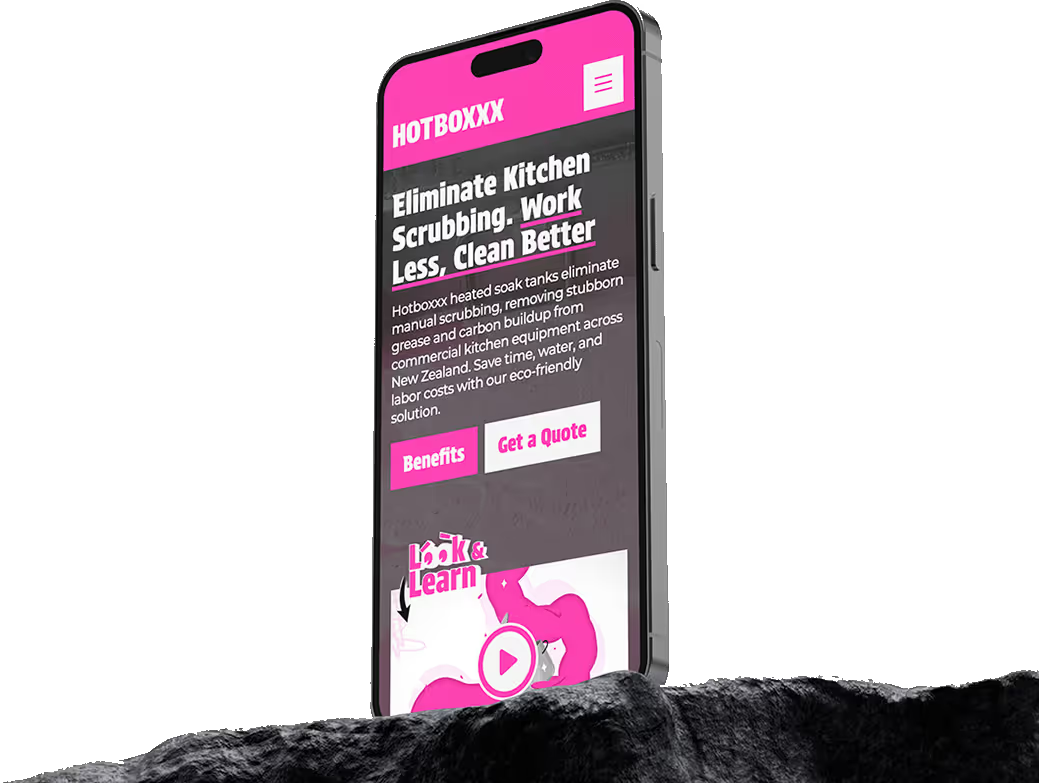
Smartphone displaying HOTBOXXX website with the text 'Eliminate Kitchen Scrubbing. Work Less, Clean Better' and buttons labeled Benefits and Get a Quote.